Apps and games, grown in small batches.

A personal studio growing calm iPhone apps, playful browser games and a free app icon maker.

iPhone apps

Quiet, focused tools for plant people, growers and anyone whose camera roll is full.

The Plant Map

Watering tracker

A quiet, visual watering tracker that lives on a map of your home.

  • Scan a room with LiDAR and pin each plant where it actually lives.
  • Every pin counts down the days until that plant needs water.
  • Six care tasks, a weekly photo diary, iCloud sync and CSV export.
Runs on
iPhone, syncing with iPad and Mac
Price
Free, with optional upgrades
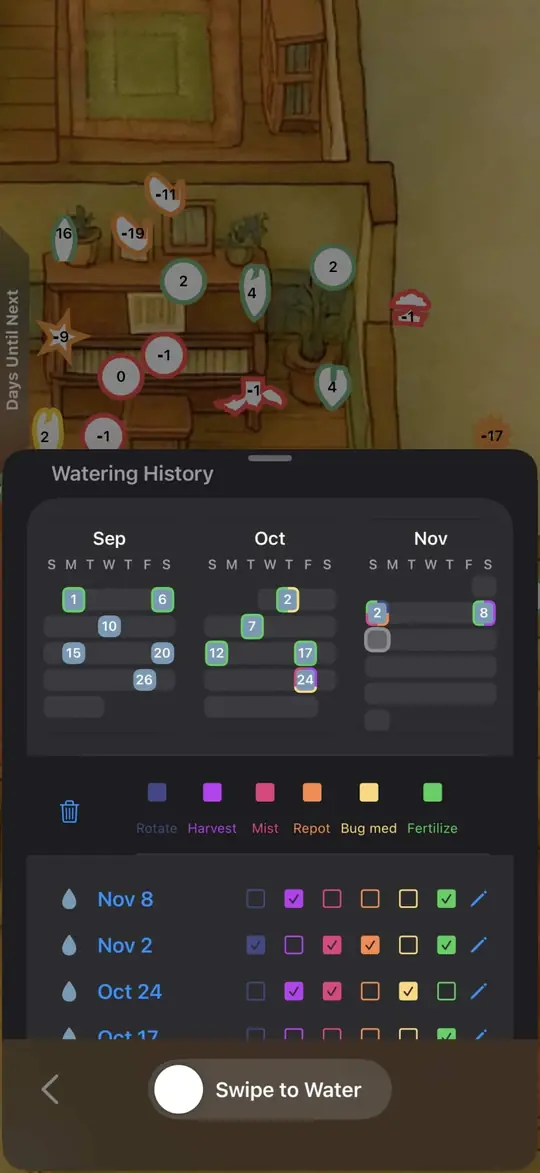
The Plant Map’s watering history: a calendar of which days each care task was done.
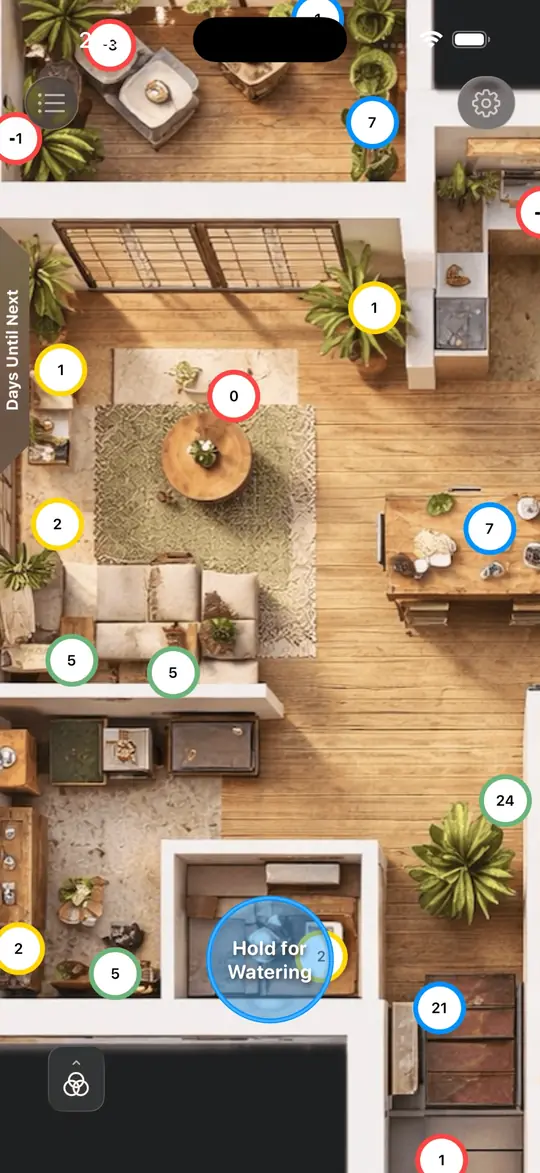
The Plant Map showing a top-down floor plan of a home with numbered pins on each plant.
Screenshots of The Plant Map on iPhone.

VPD Tool

Vapor pressure deficit

Turns temperature and humidity into a live heatmap, so you can dial in your grow.

  • See your VPD and how far it is from the target for seedling, veg, flower or late flower.
  • Home Screen widgets in three sizes, with quick plus and minus controls.
  • No account. Data stays on your device, with optional iCloud and CSV export.
Runs on
iPhone
Get it
App Store
Growth stage
1.16 kPa In the veg range
Try it: drag across the chart or use the sliders. Bands show common targets for each stage.

LumaPress

Video compression New

Shrinks the videos on your iPhone without washing out their HDR colour.

  • Sort your library by size, length or date to find the biggest files fast.
  • Queue as many as you like; they compress one at a time in the background.
  • Pick bitrate and resolution per video and see the new size before you commit.
Runs on
iPhone, entirely on device
Formats
HEVC, H.264 and ProRes
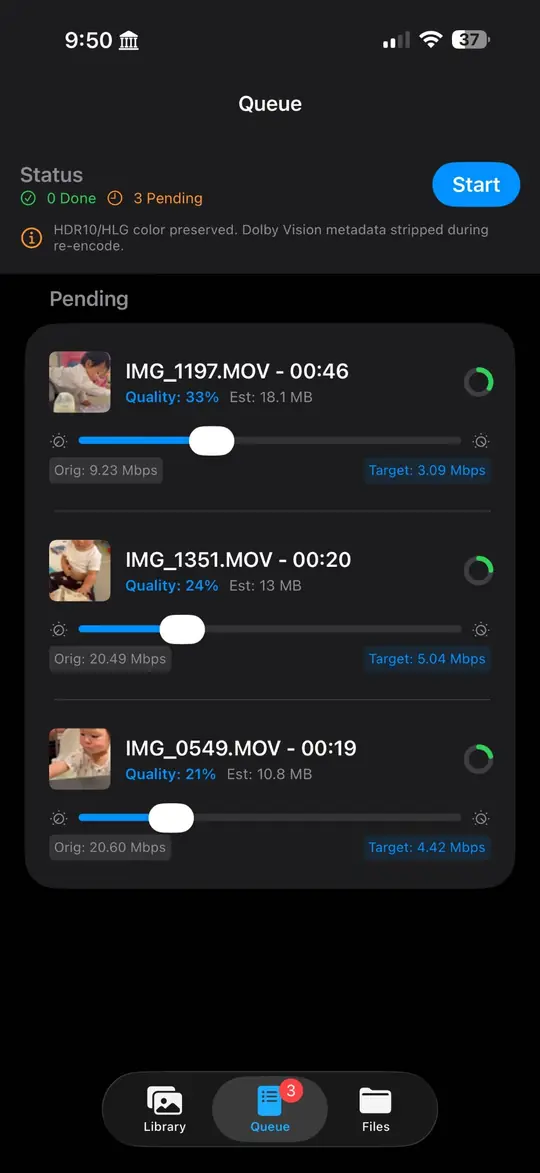
LumaPress queue with three videos, each with a quality slider and an estimated file size.
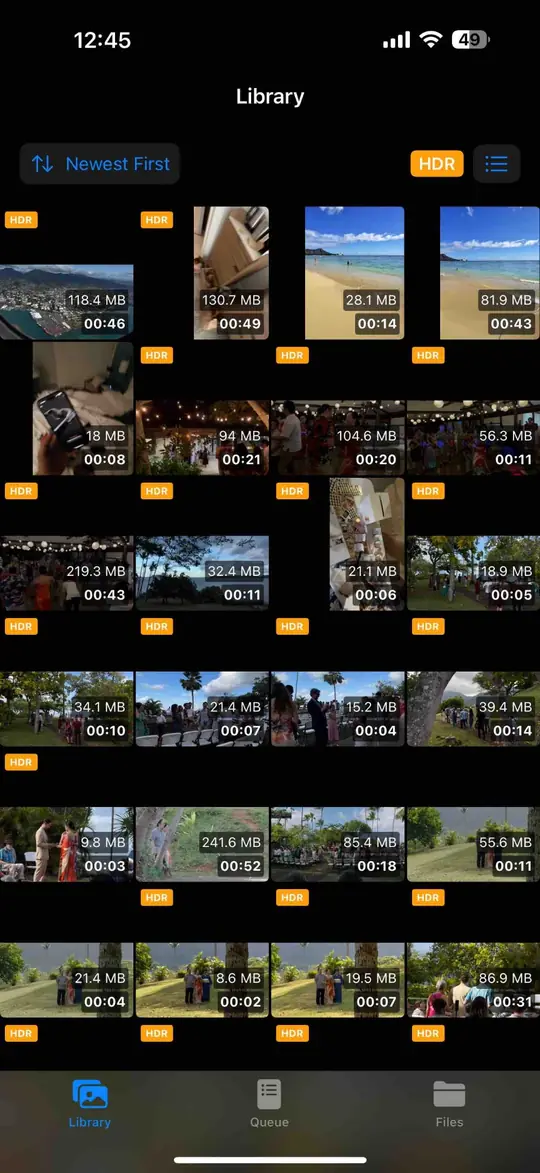
LumaPress library: a grid of videos with their sizes, lengths and HDR badges.
Screenshots of LumaPress on iPhone.

Browser games

Nothing to install. Open a tab and play, on a laptop or a phone.

Kai Tak

Fly the famous IGS approach into Hong Kong’s old airport in a Cessna 172: aim for the checkerboard on the hill, then make the low right turn onto runway 13.

Controls
Arrow keys to fly, W and S for throttle, F and G for flaps. Touch controls on phones.
Play Kai Tak

Battleships Pro

A pixel naval arena. Start in a skiff, scout through the fog, commission a bigger hull and sink the enemy harbor. Weapons fire on their own, so positioning is the whole game.

Seas
Calm Seas, Open Ocean or Storm Front
Controls
Click or tap to sail, WASD to steer, Space for your ability
Play Battleships Pro

App Icon Master Export

Turn any image into the opaque 1024 × 1024 PNG that Xcode expects. Frame it, check it at real sizes and export. Your image never leaves this page.

  • Free
  • Runs in your browser
  • PNG, JPEG, WebP, HEIC
  1. Choose an image
  2. Frame it
  3. Export

Drop an image here

or paste it from your clipboard. Square artwork at 1024 px or larger works best.